


Table of Contents
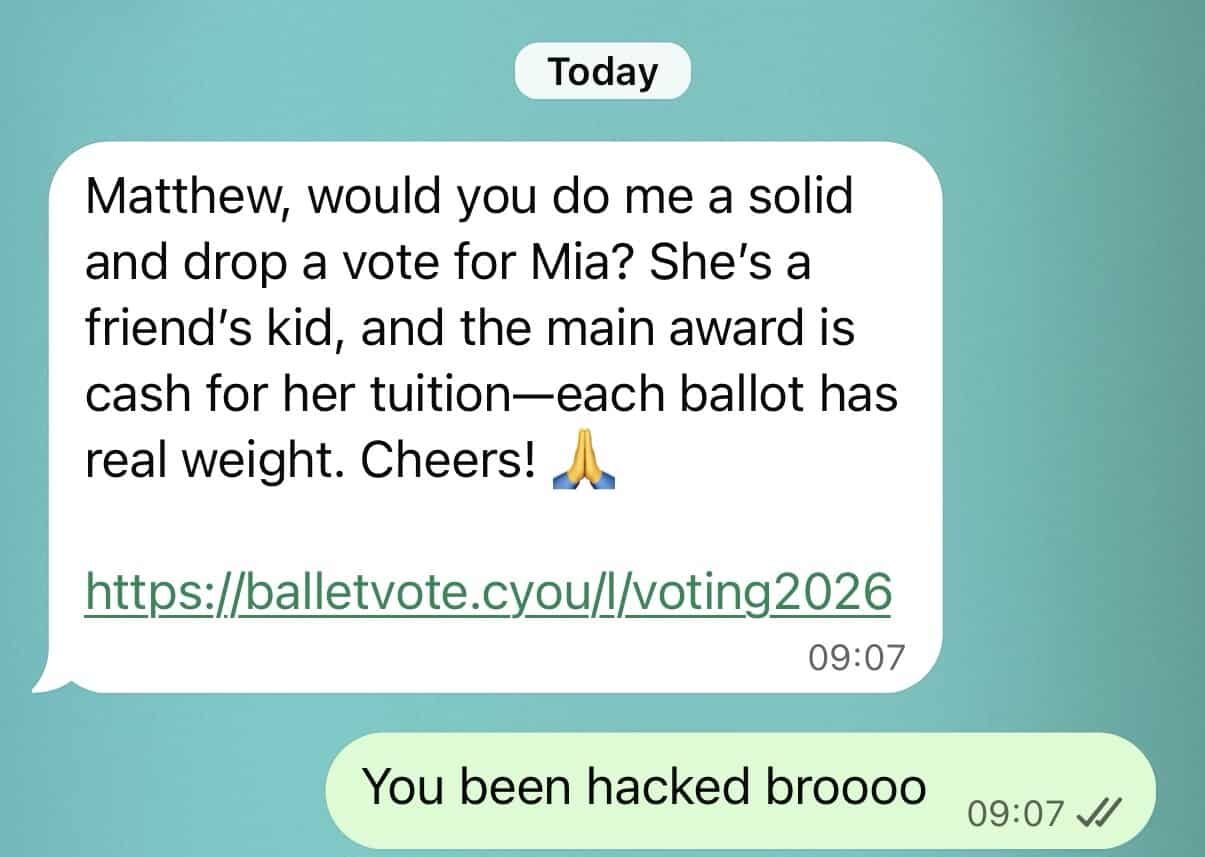
A message arrives from someone you know asking you to vote for their child, a friend or a competition entry. It looks like a quick favour. But the link could give a scammer access to your WhatsApp account.
The WhatsApp “vote for me” scam is circulating again. On 27 October 2026, Switzerland’s National Cyber Security Centre reported a fresh increase in cases, with more than 50 reports during October. This is an international warning, rather than an Australian case count. Read the official warning.
Already followed the link? Check Linked devices immediately. If you’ve been logged out, recover your account through the official WhatsApp app. Warn your contacts through another channel.
How does the WhatsApp voting scam work?
The message often comes from a contact whose account has already been compromised. A fake voting page then asks you to “verify” your vote.
- Registration-code theft: you enter your phone number, then provide the six-digit WhatsApp code you receive. The scammer uses it to register your account on another phone.
- Device-linking trick: you are persuaded to scan a QR code or approve a device-linking request. This can connect the scammer’s device to your account while WhatsApp continues working on your phone.
Police have warned that compromised accounts are then used to spread the scam or ask contacts for money. A familiar name and profile photo do not prove the request is genuine. Source: Singapore Police Force.
What to do after clicking a WhatsApp voting link
1. Stop interacting with the website
Close the page. Do not enter more codes, approve prompts or download anything. Simply opening a link does not by itself establish that your WhatsApp account has been taken over. What you entered or approved matters.
2. Remove unfamiliar linked devices
If you still have access to WhatsApp, check this even if everything looks normal:
- iPhone: open WhatsApp → Settings → Linked devices.
- Android: open WhatsApp → three-dot menu → Linked devices.
Tap each device you do not recognise and select Log out. If unsure, log out of every listed device and reconnect only your own trusted devices later. WhatsApp’s device-removal instructions.
3. Recover your account if you’ve been logged out
Open the official WhatsApp app, choose Log back in and follow the prompts to register your number again. Enter the new six-digit code inside WhatsApp only.
WhatsApp says re-registering with the code logs other devices out. If the attacker added a two-step verification PIN you do not know, you may need to wait seven days to regain access. Entering the registration code still logs the other person out, even if you cannot yet pass the PIN screen. Follow the app’s recovery instructions and timers. WhatsApp’s account-recovery guide.
4. Warn people before the scam spreads
Use SMS, a phone call or email, especially while your WhatsApp account may still be compromised. For example:
My WhatsApp account has been compromised. Please ignore recent voting links or requests for money from me. If you followed a link, check your WhatsApp Linked devices and log out anything unfamiliar.
5. Address any wider exposure
If you shared banking details or sent money, contact your bank immediately using its official app or published number. Report the scam to Scamwatch. For cybercrime reporting and identity-support options, follow Moneysmart’s recovery guidance.
If work conversations, customer information or files may have been exposed, tell your IT provider promptly so they can assess the incident. Preserve screenshots, suspicious URLs and relevant times without reopening the scam page.
How to protect your WhatsApp account afterwards
Open Settings → Account → Two-step verification and enable the protection offered in your app. Add and verify a recovery email you control. WhatsApp is transitioning this feature from a PIN to a password, so prompts may vary. WhatsApp’s verification guidance.
Check linked devices regularly, keep WhatsApp updated and independently confirm unexpected requests. Two-step verification adds protection, but you must still avoid approving a scammer’s linked device.
A competition vote should never require your WhatsApp registration code or access to your account.
Need help securing your business?
Tech Engine Australia can help your business review a suspected compromise, assess potential exposure and improve staff awareness. Contact our team on 1300 08 TECH.